Year
2024
Client
Garena
Category
Video Game
Role
UX Designer
Year
2024
Category
Video Game
Client
Garena
Role
UX Designer
Year
2024
Client
Garena
Category
Video Game
Role
UX Designer
Overview
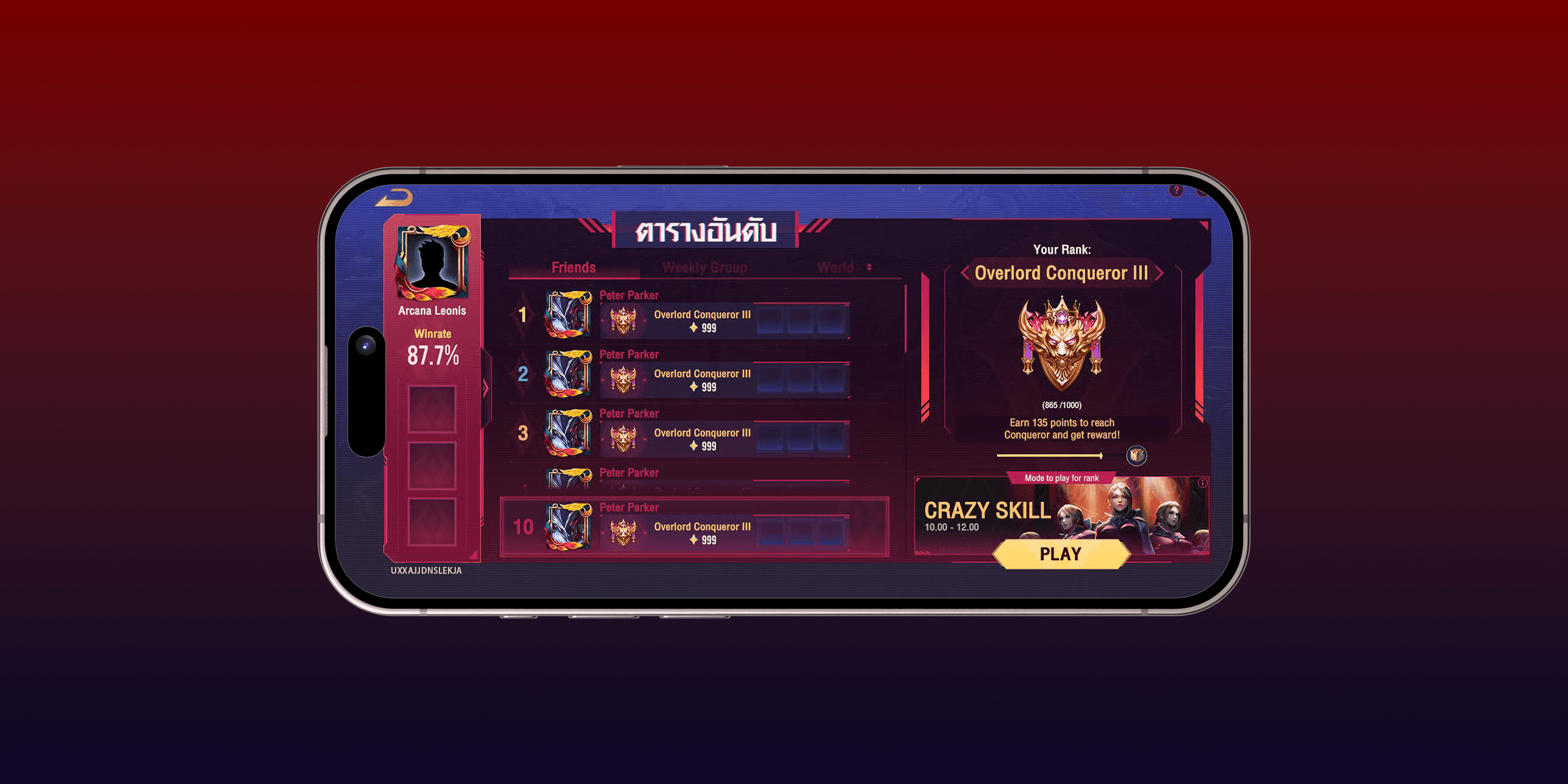
My team and I have developed a new game mode called “Entertainment Mode Ranked.” This mode is designed for players who want to enjoy stress-free gameplay and unique experiences, while still feeling a sense of accomplishment through achievements and pride displayed on the leaderboard. Whether players win or lose, their rank will never drop; it will only increase, either slowly or rapidly.
Overview
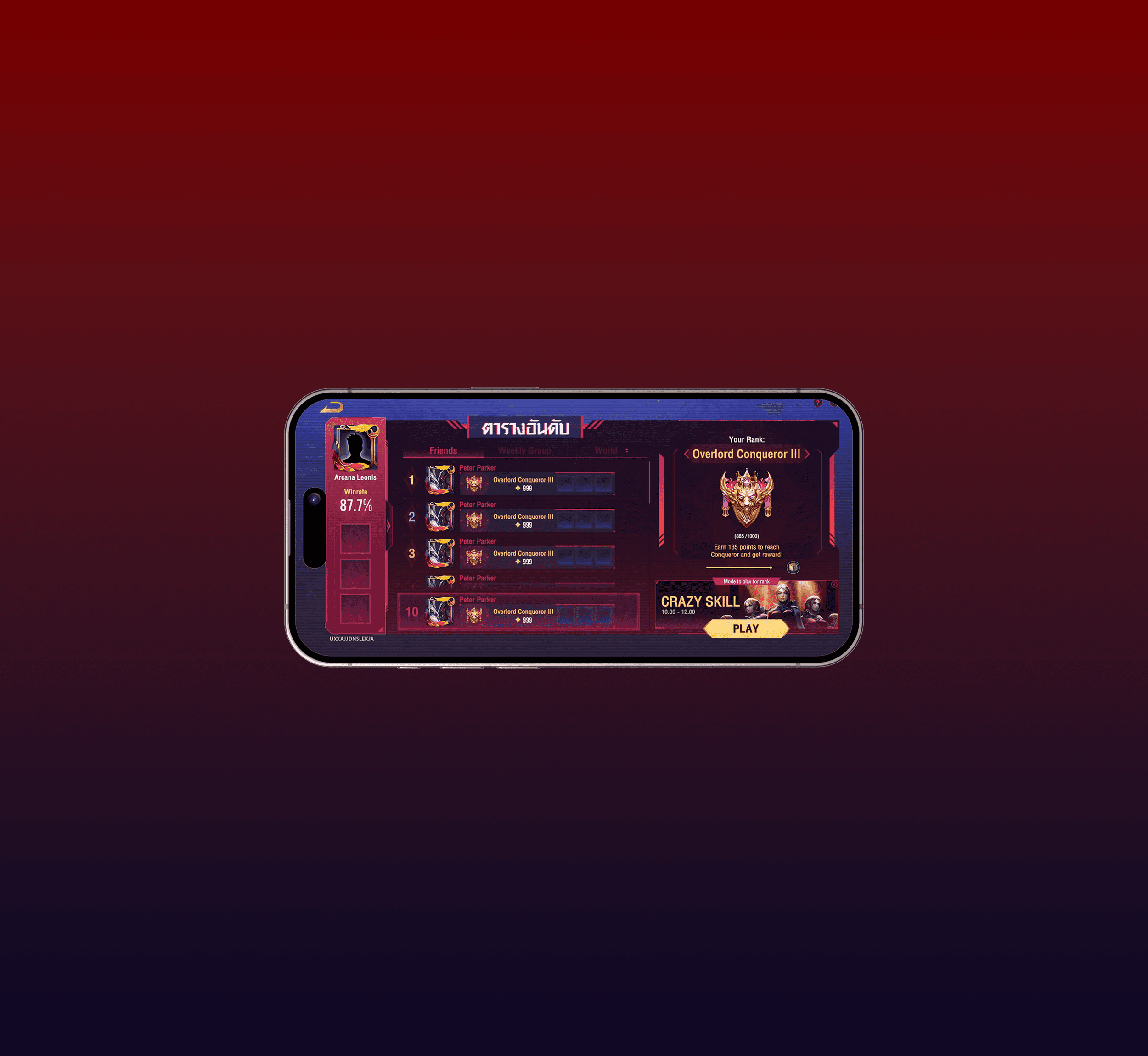
My team and I have developed a new game mode called “Entertainment Mode Ranked.” This mode is designed for players who want to enjoy stress-free gameplay and unique experiences, while still feeling a sense of accomplishment through achievements and pride displayed on the leaderboard. Whether players win or lose, their rank will never drop; it will only increase, either slowly or rapidly.
Overview
My team and I have developed a new game mode called “Entertainment Mode Ranked.” This mode is designed for players who want to enjoy stress-free gameplay and unique experiences, while still feeling a sense of accomplishment through achievements and pride displayed on the leaderboard. Whether players win or lose, their rank will never drop; it will only increase, either slowly or rapidly.
Main Menu
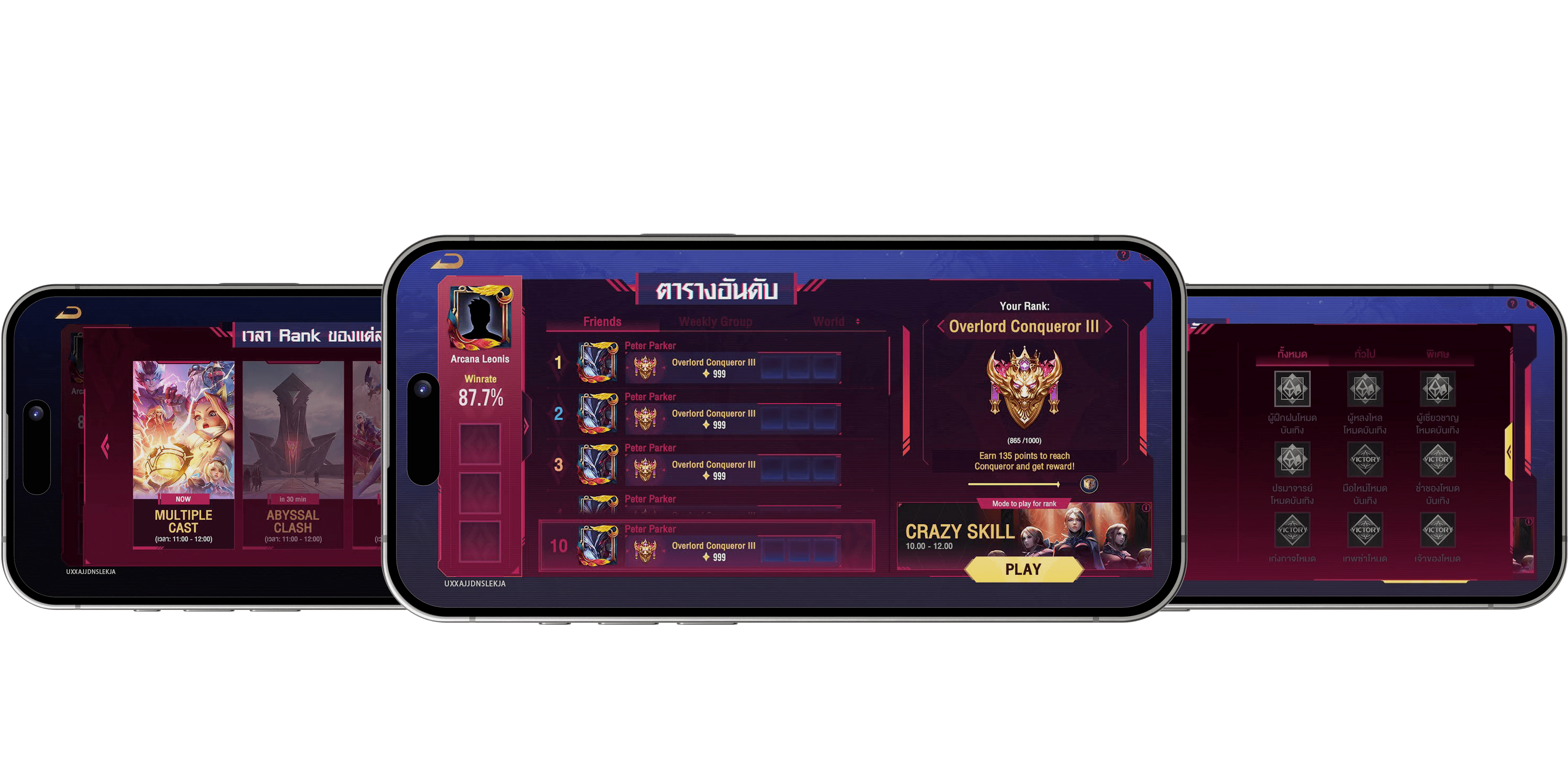
As a UX Designer on this project, I was responsible for designing the end-to-end user experience of an entire game mode, with the goal of making it simple and easy to understand for players.
I collaborated closely with artists and engineers to bring the design to life and prepare it for launch in multiple regions.
Main Menu
As a UX Designer on this project, I was responsible for designing the end-to-end user experience of an entire game mode, with the goal of making it simple and easy to understand for players.
I collaborated closely with artists and engineers to bring the design to life and prepare it for launch in multiple regions.
What I Learned
I refined my technical handoff process by translating complex game systems into high-fidelity functional specifications, ensuring seamless alignment with the engineering team.
I strengthened my skills in mapping complex user flows for competitive systems.
I learned to navigate international collaboration by coordinating with global design and engineering teams.
What I Learned
I refined my technical handoff process by translating complex game systems into high-fidelity functional specifications, ensuring seamless alignment with the engineering team.
I strengthened my skills in mapping complex user flows for competitive systems.
I learned to navigate international collaboration by coordinating with global design and engineering teams.
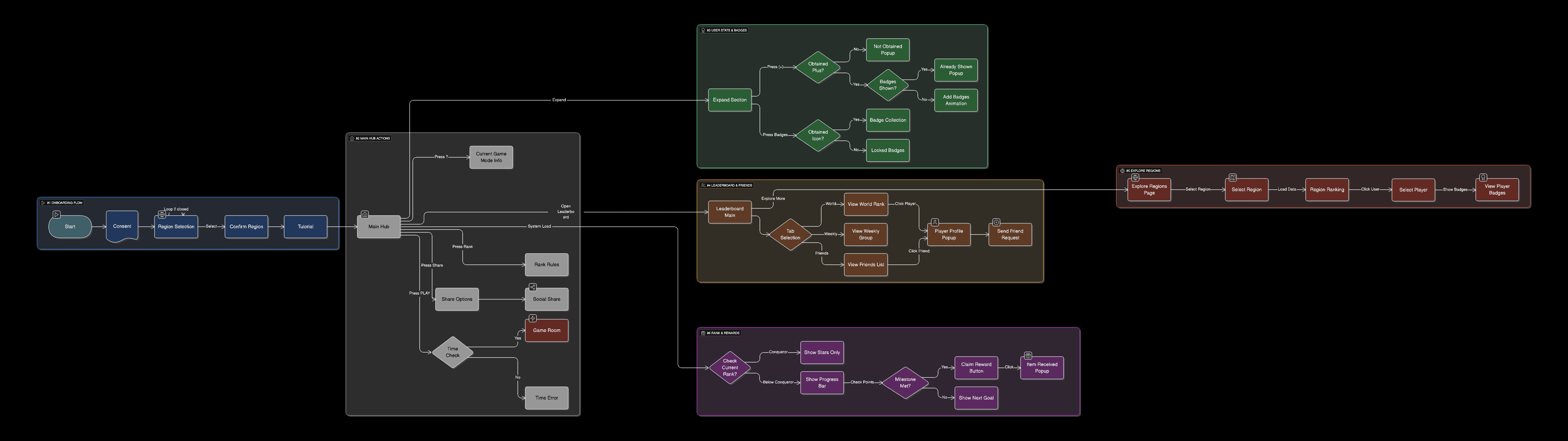
Event Wireframe
I began the design process with rapid wireframing in Google Slides to focus entirely on layout and user flow.
This allowed me to iterate quickly on core mechanics before transitioning to the polished, high-fidelity final interface.
Event Wireframe
I began the design process with rapid wireframing in Google Slides to focus entirely on layout and user flow.
This allowed me to iterate quickly on core mechanics before transitioning to the polished, high-fidelity final interface.
Event Wireframe
I began the design process with rapid wireframing in Google Slides to focus entirely on layout and user flow.
This allowed me to iterate quickly on core mechanics before transitioning to the polished, high-fidelity final interface.
Before
After
Before
After
Event Userflow
Problem & Solution
Problem:
Lacked Essential Information
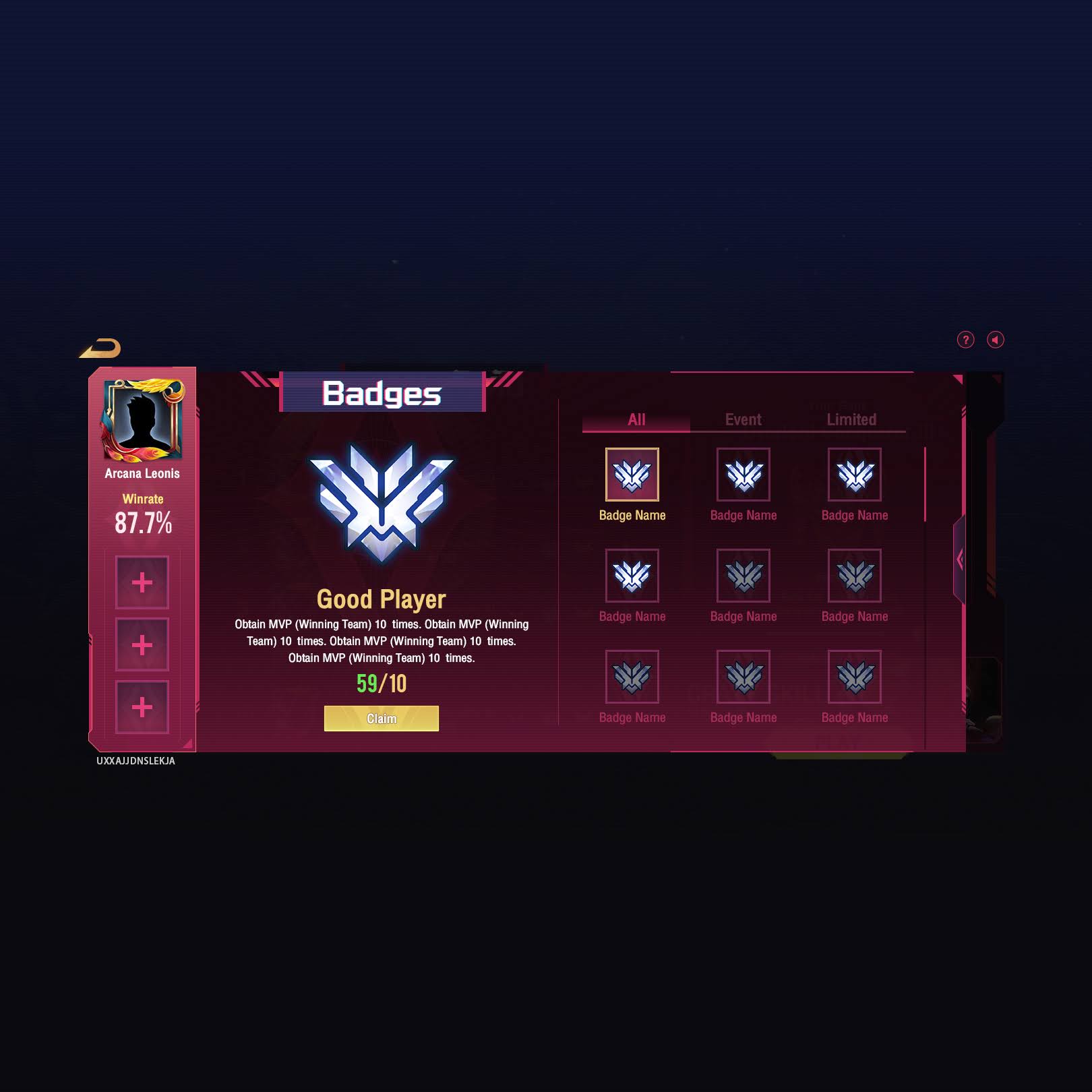
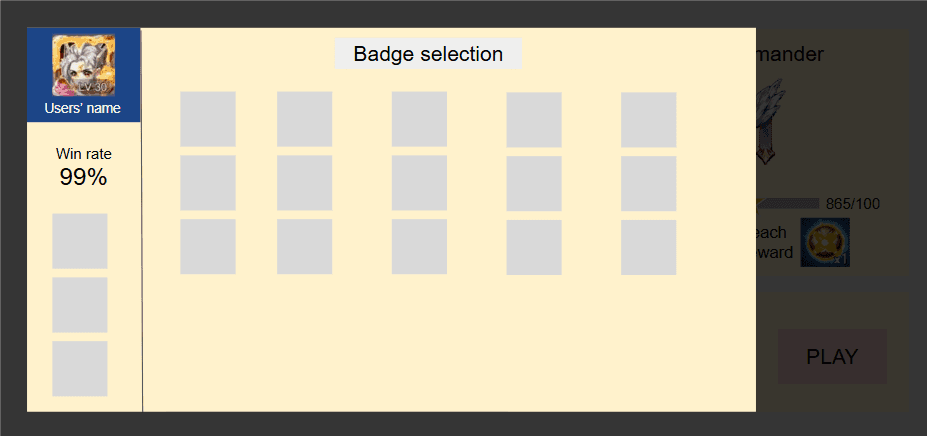
My team initially proposed a modular grid layout to give players a “hall of fame” feel. While visually appealing, I felt it lacked essential information, such as badge statuses and descriptions. I suggested an alternative horizontal column layout that included both icons and detailed context. However, our team cannot choose which design to focus on.
Solution:
Hybrid Layout
After a thoughtful debate on the pros and cons of each approach, I took a step back, reviewed the strengths of both designs, and created a new hybrid layout that combined the best of both ideas to improve clarity and engagement.
Problem & Solution
Problem:
Lacked Essential Information
My team initially proposed a modular grid layout to give players a “hall of fame” feel. While visually appealing, I felt it lacked essential information, such as badge statuses and descriptions. I suggested an alternative horizontal column layout that included both icons and detailed context. However, our team cannot choose which design to focus on.
Solution:
Hybrid Layout
After a thoughtful debate on the pros and cons of each approach, I took a step back, reviewed the strengths of both designs, and created a new hybrid layout that combined the best of both ideas to improve clarity and engagement.
Problem & Solution
Problem:
Lacked Essential Information
My team initially proposed a modular grid layout to give players a “hall of fame” feel. While visually appealing, I felt it lacked essential information, such as badge statuses and descriptions. I suggested an alternative horizontal column layout that included both icons and detailed context. However, our team cannot choose which design to focus on.
Solution:
Hybrid Layout
After a thoughtful debate on the pros and cons of each approach, I took a step back, reviewed the strengths of both designs, and created a new hybrid layout that combined the best of both ideas to improve clarity and engagement.
Modular Grid Design
+
Horizontal Column Grid Design

=
Final Layout Draft (Yes, I love Overwatch Rank Icon Design!!)